What Drawings and Technical Files Should Be Included in a Slip Ring RFQ?
Prepare slip ring RFQ drawings, circuit tables, pinouts and installation references. Control revisions and resolve file conflicts before supplier review.
2026-09-19 14:01 by admin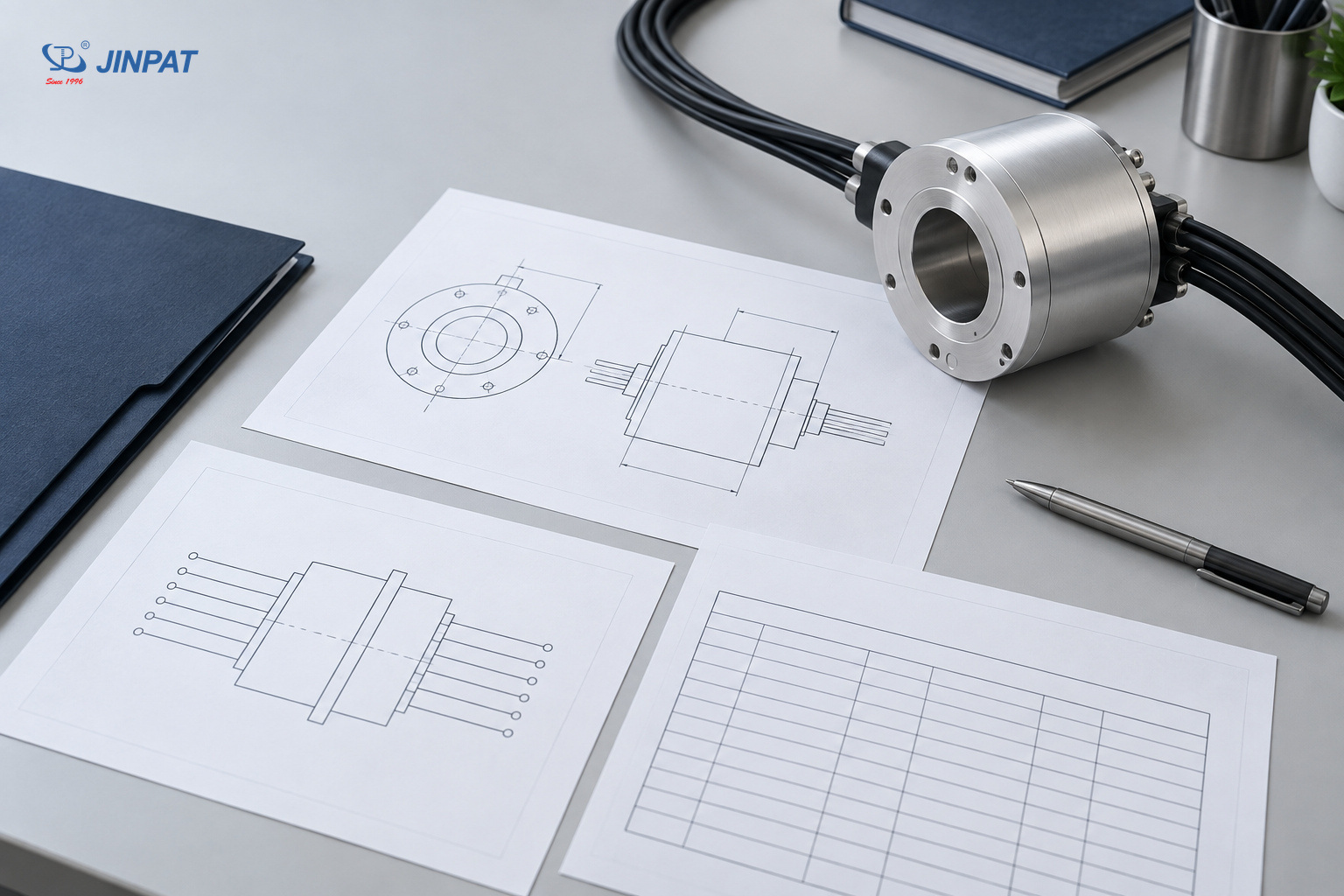
- Share
-

-

-

-

-

A useful package of slip ring RFQ drawings shows where the assembly fits, what connects across it and which document revision defines the requirement. Send a mechanical interface drawing, an installation reference and an electrical connection schedule, with supporting files where needed. The objective is a consistent technical package, not the largest possible collection of attachments.
OEM engineers often have the necessary information spread across CAD files, spreadsheets, photographs and emails. Before asking a supplier to quote, identify which file controls each requirement and remove contradictions between those sources. This guide focuses on that document handoff rather than repeating a complete slip ring specification checklist.
Give each RFQ document a clear purpose
Assign each file a specific role: define an interface, explain the installation, describe connections or record an operating requirement. A supplier should be able to identify the controlling document for a question without interpreting conflicting attachments. Keep a short file register that includes revision, status and the responsible engineering contact.
| Technical file | What it should communicate | What it cannot replace |
|---|---|---|
| Mechanical interface drawing | Connection geometry, references and constrained interfaces | The surrounding machine installation |
| Installation drawing or assembly view | Location, adjacent equipment and cable routing context | Released dimensions on the controlling drawing |
| Circuit table | Circuit function and required electrical or signal information | A complete connector mating-face definition |
| Wiring diagram and pinout | Connection mapping, connector references and viewing convention | An agreed mechanical installation envelope |
| Operating requirement attachment | Motion, environment or performance conditions relevant to review | Evidence that a proposed product already meets them |
| RFQ file register | Current revisions, approval status and unresolved questions | Technical details contained in the referenced files |
This is a suggested engineering package, not a claim that every supplier requires the same file format or document names. Confirm the preferred exchange format and the level of detail needed for the current review.
Make the mechanical interface drawing usable
Provide a slip ring mechanical drawing that identifies the required interfaces and references without forcing the supplier to infer them from a general assembly picture. Distinguish fixed constraints from dimensions that remain open for discussion. State units, viewing direction and revision so the geometry can be interpreted consistently across the RFQ package.
The drawing should locate the slip ring relative to the stationary and rotating parts. Where relevant, identify the shaft or bore interface, flange or housing connection and mounting-hole reference. The separate installation drawing should show surrounding obstructions and the space reserved for the assembly and its cables.
Use annotations to identify which dimensions are controlled by the machine and which depend on the supplier's proposed design. Do not copy an old supplier drawing into a new RFQ and silently assume every dimension remains acceptable.
JINPAT's through-bore selection document identifies rotor and stator cable-exit and lead-length customization, along with dimensional customization subject to structural limits. That makes clear interface documentation relevant to an inquiry; it does not establish unlimited dimensional flexibility.
Confirm whether a readable PDF is sufficient for review and whether an exchange CAD file is also needed. A CAD model should not leave the reviewer guessing which interfaces are mandatory.
Keep the circuit table, wiring diagram and pinout consistent
Use the circuit table to define connection functions, the wiring diagram to show relationships and the pinout to identify terminal or contact assignments. Cross-reference them with consistent circuit and connector identifiers. None of these files should silently contradict another, and a connector view must make its orientation clear.
A circuit table can identify power, signal and spare circuits and reference their relevant requirements. Keep detailed electrical sizing or communication-performance requirements in their own controlled attachments when needed. The document package should point to those requirements without embedding different versions in several places.
For each connector pinout, identify whether the view is from the mating face or the wire side. Record the connector reference and the relationship between the stationary and rotating sides. Wire color can help identify a connection, but it should not be the only definition of function.
Resolve contradictions before supplier review
In a hypothetical engineering example, a wiring diagram labels a contact as a spare while a newer circuit table assigns it to a sensor. The next action is to identify the controlling revision and resolve the conflict, not let the supplier choose an interpretation. This example illustrates document control; it is not a customer case or a proposed pinout.
Use photographs and reference models without overclaiming precision
Include photographs, reference models or existing drawings when they clarify a retrofit or surrounding equipment, but label their status and limitations. A photograph can show cable access or an obstruction; it cannot reliably establish every dimension. Separate measured requirements from visual references, and share only material authorized for the engineering discussion.
For a retrofit, identify the existing unit and the reason for replacement if that information is known and permitted to share. Show the installed arrangement as well as the loose component where useful. Explain which interfaces must remain compatible and which can change.
Do not infer hidden geometry from a photograph or treat an unlabeled image as a manufacturing drawing. If a critical interface has not been measured or documented, mark it as unresolved.
A reference CAD model may contain details that are irrelevant to the slip ring review. Provide an authorized, relevant view or exchange file that preserves the necessary interfaces without exposing unrelated confidential machine information. Permission to review a file for an RFQ does not automatically authorize its public reuse.
Control revisions and identify the quote basis
Create one current file register and state which revisions form the basis of the RFQ. Identify preliminary files, superseded references and open decisions explicitly. When a requirement changes, update the register and notify the supplier which interpretation has changed, rather than assuming the newest email attachment automatically resolves earlier instructions.
| Document-control field | Why it belongs in the package |
|---|---|
| File identifier and revision | Distinguishes the controlling file from an older attachment |
| Release or preliminary status | Prevents a draft from being mistaken for an approved requirement |
| Purpose and referenced documents | Connects geometry, circuits and operating requirements |
| Open issue and owner | Shows what must be resolved before design approval |
| Change description | Makes the effect of a revised requirement visible |
Avoid relying on filenames such as “final,” “final-new” and “latest” as the only revision system. Those labels do not explain which interface changed or whether the supplier has accepted the new basis.
If the supplier returns a proposal drawing, compare it with the controlling machine-interface and connection documents. A proposal can reveal an exception or an alternative; it should not silently redefine the OEM requirement. Record the disposition of each exception before treating the design as approved.
Send a reviewable package even when drawings are preliminary
If released drawings are unavailable, send a clearly labeled preliminary package that explains known interfaces and lists unresolved details. Ask what additional information is required for the next decision. A preliminary quotation and a design approval are different stages; do not let an early estimate imply that undocumented interfaces have been confirmed.
Use a compact handoff check before sending the files:
Open every attachment and confirm that its intended content is readable.
Match the file register to the actual filenames and revisions.
Check that circuit identifiers and connector references agree across files.
Identify which constraints are fixed and which remain negotiable.
Assign an owner to each unresolved interface or conflicting requirement.
Ask the supplier to identify assumptions and exceptions in its response.
Send JINPAT the authorized drawings and connection documents with that register for technical review. Use the complete slip ring specification checklist before RFQ to check the broader requirement categories. Keep those requirements linked to the file package so a later design change can be traced to the drawing, circuit table or operating attachment it affects.